
✓ AV Scanned Clean
Build: v1.0
Size: 2 KB
Updated: 2016.06.07
Far Cry – Optimized Graphics config
⬇ Jump to Download Mirrors
Far Cry – Optimized Graphics config (v1.0) for Windows PC: Fight a fanatical cult in this open world FPS. Engage in intense combat, free hostile territory, recruit loyal followers and animal allies, and liberate Hope County solo or in full 2-player co-op.
Game: Far Cry
Release Type: FPS Boost Config
Version: v1.0
Genres: Action, Adventure
Developer: Ubisoft Montreal
Archive Size: 2 KB
Platform: Windows 10 / 11 (64-bit)
Security Scan: ✓ AV Scanned: Clean
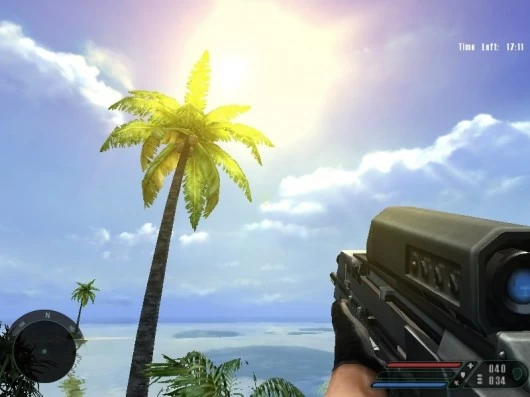
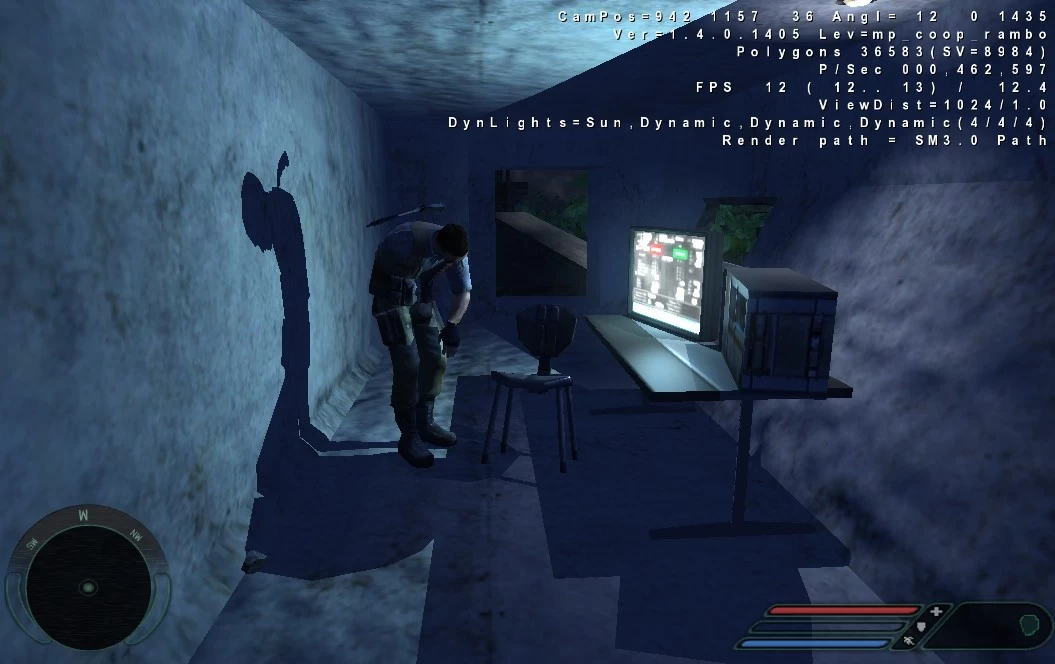
Far Cry FPS Boost Config – Key Features & Notes
- This is meant for users who have poop-like integrated GPUs, but who still want Far Cry to look beautiful on their machine.
- So, here are some parameters from the config:
- Dynamic Shadows: On
- Texture Quality: Medium with enabled bump maps, and cubemaps
- Special Effects: Turned on sun beams, scope lens effect, and flares
- Environment quality: Low
- Lighting Quality: Medium to High
- Particle Quality: Low
Far Cry PC System Requirements
Minimum Specs
- Requires a 64-bit processor and operating system
- OS: Windows 10 (64-bit versions only)
- Processor: Intel Core i5-2400 @ 3.1 GHz or AMD FX-6300 @ 3.5 GHz or equivalent
- Memory: 8 GB RAM
- Graphics: NVIDIA GeForce GTX 670 or AMD R9 270 (2GB VRAM with Shader Model 5.0 or better)
- DirectX: Version 9.0c
- Network: Broadband Internet connection
- Storage: 40 GB available space
- Additional Notes: Game contains EasyAntiCheat anti-cheat technology, and Denuvo and VMProtect anti-tamper technology.
Recommended Specs
- Requires a 64-bit processor and operating system
- OS: Windows 10 (64-bit versions only)
- Processor: Intel Core i7-4770 @ 3.4 GHz or AMD Ryzen 5 1600 @ 3.2 GHz or equivalent
- Memory: 8 GB RAM
- Graphics: NVIDIA GeForce GTX 970 or AMD R9 290X (4GB VRAM with Shader Model 5.0 or better)
- DirectX: Version 9.0c
- Network: Broadband Internet connection
- Storage: 40 GB available space
- Additional Notes: Game contains EasyAntiCheat anti-cheat technology, and Denuvo and VMProtect anti-tamper technology.
How to Install Far Cry FPS Boost Config on PC
- Download the Far Cry FPS & Stutter-Fix configuration .ZIP below and extract the preset files.
- Navigate to your Far Cry configuration folder (%LOCALAPPDATA%\[Game]\Saved\Config\Windows or installation folder).
- Back up your default .ini file, drop in the optimized config, and launch the game for smoother frame pacing.
Far Cry FPS Boost Config FAQ
Is this Far Cry fps boost config safe to use on Steam?
Yes. All files are scanned clean (AV Scanned: Clean) and designed for offline/single-player PC use. Always back up your original save or config folder first.
Where is the Far Cry save & config folder located on Windows?
Most modern PC releases store user saves and Engine.ini files inside %LOCALAPPDATA%, %APPDATA%, or %USERPROFILE%\Saved Games.
Buy the console and the game
| Item | Amazon | eBay |
|---|---|---|
| GTA 6 (PS5) | Amazon | eBay |
| GTA 6 (Xbox Series X) | Amazon | eBay |
| PlayStation 5 console | Amazon | eBay |
| Xbox Series X console | Amazon | eBay |
Links are affiliate links. We earn a small commission if you buy, at no extra cost to you.