
✓ AV Scanned Clean
Build: v1.0
Size: 5 KB
Updated: 2008.12.19
Grand Theft Auto IV – Bloom Reducer
⬇ Jump to Download Mirrors
Grand Theft Auto IV – Bloom Reducer (v1.0) for Windows PC: Niko Bellic, Johnny Klebitz and Luis Lopez all have one thing in common – they live in the worst city in America. Liberty City worships money and status, and is heaven for those who have them and a living nightmare for those who don't.
Game: Grand Theft Auto IV
Release Type: FPS Boost Config
Version: v1.0
Genres: Action, Adventure
Developer: Rockstar North
Archive Size: 4 KB
Platform: Windows 10 / 11 (64-bit)
Security Scan: ✓ AV Scanned: Clean
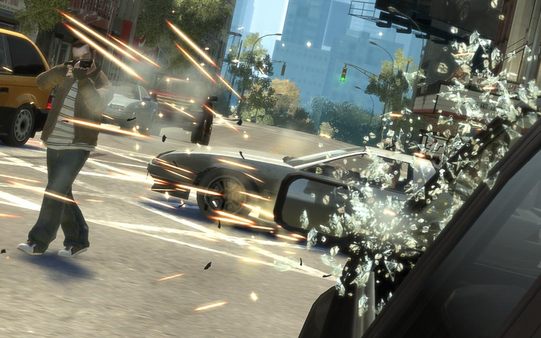


Grand Theft Auto IV FPS Boost Config – Key Features & Notes
- A small tweak that reduces that amount of bloom in the game.
- It is through by many players that the boom is far too over the top and that it is one of the main factors causing the performance issues.
- This small tweak reduces the amount of bloom and therefore makes the game more playable and offers a marginal fps boost.
Grand Theft Auto IV PC System Requirements
Minimum Specs
- OS: Windows 10 (64-bit)
- Processor: Intel Core 2 Duo 1.8GHz, AMD Athlon X2 64 2.4GHz
- Memory: 1.5GB
- Graphics: 256MB Nvidia 7900 / 256MB ATI X1900
- DirectX Version: DirectX 9.0c Compliant Card
- Hard Drive: 22GB of Hard Disc Space
- Sound Card: 5.1 Channel Audio Card
How to Install Grand Theft Auto IV FPS Boost Config on PC
- Download the Grand Theft Auto IV FPS & Stutter-Fix configuration .ZIP below and extract the preset files.
- Navigate to your Grand Theft Auto IV configuration folder (%LOCALAPPDATA%\[Game]\Saved\Config\Windows or installation folder).
- Back up your default .ini file, drop in the optimized config, and launch the game for smoother frame pacing.
Grand Theft Auto IV FPS Boost Config FAQ
Is this Grand Theft Auto IV fps boost config safe to use on Steam?
Yes. All files are scanned clean (AV Scanned: Clean) and designed for offline/single-player PC use. Always back up your original save or config folder first.
Where is the Grand Theft Auto IV save & config folder located on Windows?
Most modern PC releases store user saves and Engine.ini files inside %LOCALAPPDATA%, %APPDATA%, or %USERPROFILE%\Saved Games.
Buy the console and the game
| Item | Amazon | eBay |
|---|---|---|
| GTA 6 (PS5) | Amazon | eBay |
| GTA 6 (Xbox Series X) | Amazon | eBay |
| PlayStation 5 console | Amazon | eBay |
| Xbox Series X console | Amazon | eBay |
Links are affiliate links. We earn a small commission if you buy, at no extra cost to you.