
✓ AV Scanned Clean
Build: v1.0
Size: 294 B
Updated: 2022.06.03
Sonic the Hedgehog (2013) – 100% Complete Save File
⬇ Jump to Download Mirrors
Sonic the Hedgehog (2013) – 100% Complete Save File (v1.0) for Windows PC: The Sonic 4 Saga continues in Episode II with the return of a beloved side kick and fan-favorite villains! Following the events of Episode I, Metal Sonic has returned to form an alliance with Dr. Eggman! To face this new evil, Sonic will have to call upon an old friend to help him save the day!
Game: Sonic the Hedgehog (2013)
Release Type: 100% Save-Game
Version: v1.0
Genres: Adventure
Developer: SEGA
Archive Size: 294 B
Platform: Windows 10 / 11 (64-bit)
Security Scan: ✓ AV Scanned: Clean


Sonic the Hedgehog (2013) 100% Save-Game – Key Features & Notes
- Have you ever wanted to play Sonic 1 but also not play Sonic 1? Well, I have the save file for you!
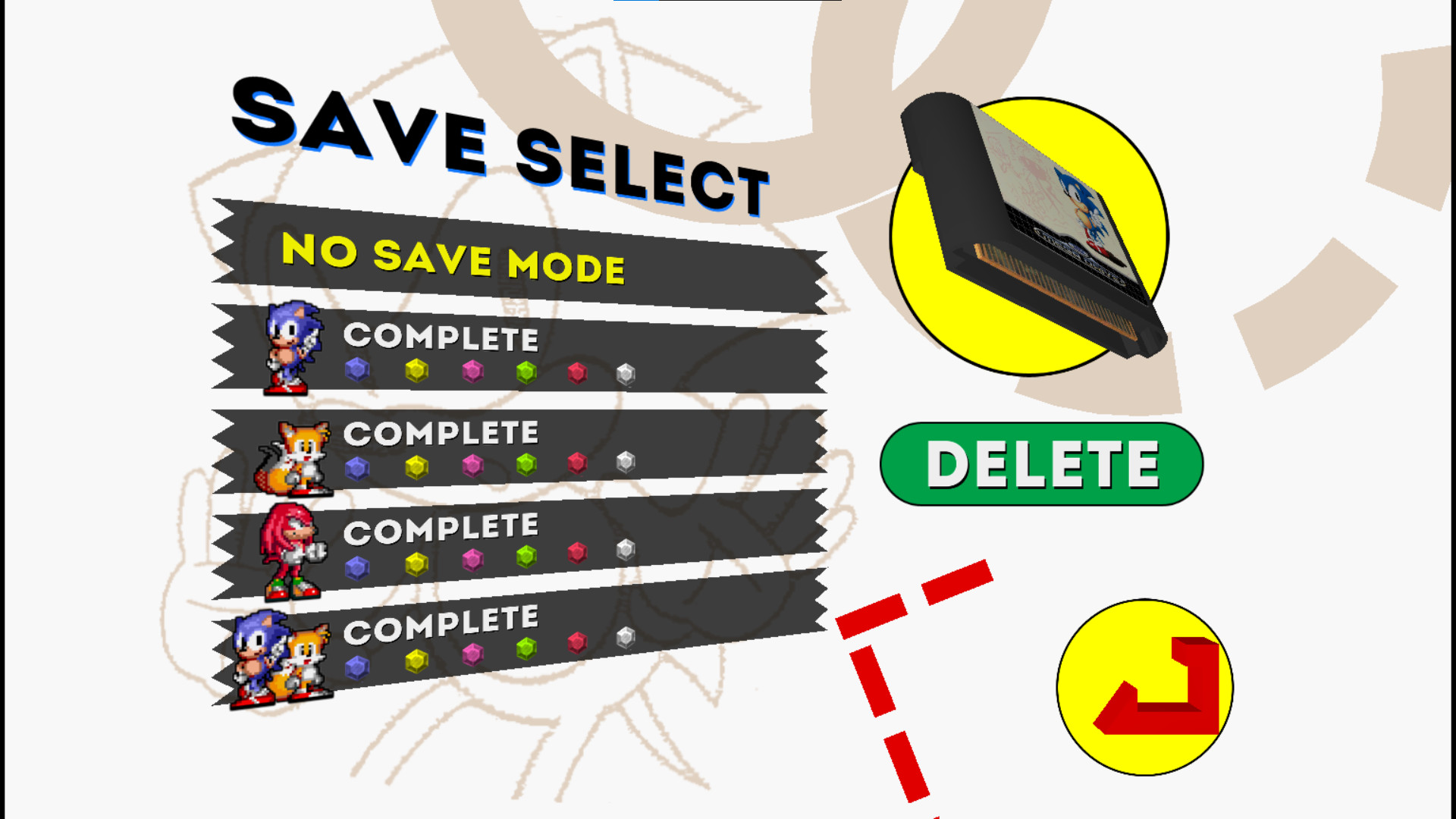
- This save includes:
- Saves for all characters
- All zones complete
- All chaos emeralds unlocked
- All achievements unlocked
- Have fun (or don't).
Sonic the Hedgehog (2013) PC System Requirements
Minimum Specs
- OS *: Windows XP/Vista/Win7
- Processor: Pentium 4 @ 3.2 GHz/Athlon 64 3000+ or Equivalent & above
- Memory: 1 GB (2 GB on Vista)
- Graphics: 256 MB (NVIDIA GeForce 8600/AT Radeon HD3650) & above
- DirectX®: DirectX 9c
- Hard Drive: 6 GB Free
- Sound: DirectX Compatible
- Additional Notes: Microsoft no longer supports Windows 10 or older versions.
Recommended Specs
- OS *: Windows 7
- Processor: Intel Core 2 DUO @ 2.4 GHz/Athlon 64 X2 4200+ & above
- Memory: 2 GB+
- Graphics: 512 MB (NVIDIA GeForce 8800/ATI Radeon HD 3800) & above
- DirectX®: DirectX 11
- Hard Drive: 6 GB Free
- Sound: DirectX Compatible
- Additional Notes: Microsoft no longer supports Windows 10 or older versions.
How to Install Sonic the Hedgehog (2013) 100% Save-Game on PC
- Download the Sonic the Hedgehog (2013) save-game .ZIP archive from the mirrors below and extract it.
- Press Win + R, open your Sonic the Hedgehog (2013) save directory inside %LOCALAPPDATA% or %USERPROFILE%\Saved Games (back up your existing save folder first!).
- Copy the extracted save files into your active profile folder, disable Steam Cloud overwrite if prompted, and launch the game.
Sonic the Hedgehog (2013) 100% Save-Game FAQ
Is this Sonic the Hedgehog (2013) 100% save-game safe to use on Steam?
Yes. All files are scanned clean (AV Scanned: Clean) and designed for offline/single-player PC use. Always back up your original save or config folder first.
Where is the Sonic the Hedgehog (2013) save & config folder located on Windows?
Most modern PC releases store user saves and Engine.ini files inside %LOCALAPPDATA%, %APPDATA%, or %USERPROFILE%\Saved Games.
Buy the console and the game
| Item | Amazon | eBay |
|---|---|---|
| GTA 6 (PS5) | Amazon | eBay |
| GTA 6 (Xbox Series X) | Amazon | eBay |
| PlayStation 5 console | Amazon | eBay |
| Xbox Series X console | Amazon | eBay |
Links are affiliate links. We earn a small commission if you buy, at no extra cost to you.