✓ AV Scanned Clean
Build: v1.0
Size: 217.0 MB
Updated: 2024.05.20
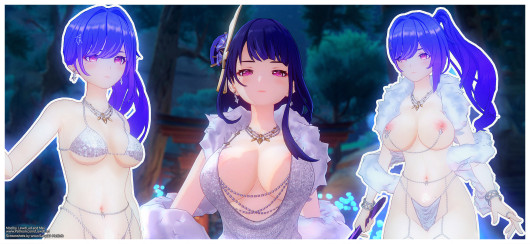
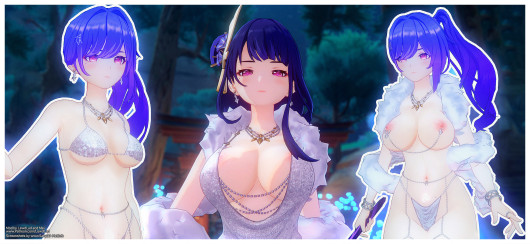
Genshin Impact – Luxurious Raiden Shogun Mega Collection
⬇ Jump to Download Mirrors
Genshin Impact – Luxurious Raiden Shogun Mega Collection (v1.0) for Windows PC: Luxurious Wheels Raiden Shogun!
Game: Genshin Impact
Release Type: PC Mod
Version: v1.0
Genres: PC
Developer: PCVault
Archive Size: 217.0 MB
Platform: Windows 10 / 11 (64-bit)
Security Scan: ✓ AV Scanned: Clean


Genshin Impact PC Mod – Key Features & Notes
- I'll start with a simple separated OG body size and Thicc bodysize megatoggle for now and if the response is good, I'll keep it up!
- UPDATE 2: Since Reception has been positive, I'll also release Thicc Bottom + OG Breasts and Big Breasts + OG Bottoms!
- For Raiden Boss Fix, go here
- Intro: Heya Gamebananites! It's Yae Miko's Banner, so of course, we're releasing a…Raiden Shogun mod?
- We'll be releasing this mod in stages with a Like campaign that will culminate in the Full Mega Toggle and Quick Switches!
- (Note: There will be a 24 hour gap between the release of each Like Goal in the campaign!)
- Initial Release: Top Toggle
- Like ❤️️ and Comment Campaign – (9/9 Released) Scarf Toggle (Complete) Toggle her fancy scarf on and off! It's made of kitsune fur!
How to Install Genshin Impact PC Mod on PC
- Download the Luxurious Raiden Shogun Mega Collection archive (.ZIP) from Mirror 1 or Mirror 2 below.
- Extract the contents into your Genshin Impact PC root/mods folder (Steam -> Browse Local Files).
- Launch the game in offline/single-player mode to enjoy the new mod features.
Genshin Impact PC Mod FAQ
Is this Genshin Impact pc mod safe to use on Steam?
Yes. All files are scanned clean (AV Scanned: Clean) and designed for offline/single-player PC use. Always back up your original save or config folder first.
Where is the Genshin Impact save & config folder located on Windows?
Most modern PC releases store user saves and Engine.ini files inside %LOCALAPPDATA%, %APPDATA%, or %USERPROFILE%\Saved Games.