
✓ AV Scanned Clean
Build: v1.0
Size: 114.2 MB
Updated: 2022.06.18
Friday Night Funkin’ – Blueballed: Fight for Control (+ REMIX Update)
⬇ Jump to Download Mirrors
Friday Night Funkin' – Blueballed: Fight for Control (+ REMIX Update) (v1.0) for Windows PC: Get funky with the official Rhythm Rift for "Dad Battle" by Kawai Sprite. This track is part of the Friday Night Funkin' Music Pack.
Game: Friday Night Funkin'
Release Type: PC Mod
Version: v1.0
Genres: Action, Indie, RPG
Developer: Brace Yourself Games
Archive Size: 114.2 MB
Platform: Windows 10 / 11 (64-bit)
Security Scan: ✓ AV Scanned: Clean
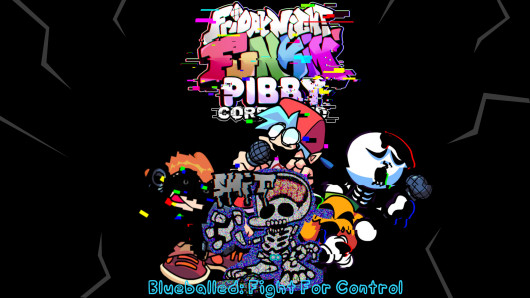



Friday Night Funkin' PC Mod – Key Features & Notes
- This is made to be a separate thing from the Pibby Corrupted mod.
- Don't drag it into the " Pibby Corrupted" FNF folder, it won't look good at best, and won't work at worst. Put it in the mod folder for Psych Engine 5.2h
- Flashing Lights in Gunshot and by extention Bad End, so watch out
- Don't scroll too far in the story menu, you never know what you might find…
- I made this tiny little mod of the song Blueballed from the Pibby Corrupted Demo after I saw a very interesting comment on the song upload on YouTube .
- I wanted to see if I could do it, so here you are.
- I didn't make any of the assets, like the stage, characters, or especially the music so go support the original creators
- In case you don't quite get the comment, it's Bf vs PibBf but in one body
How to Install Friday Night Funkin' PC Mod on PC
- Download the Blueballed: Fight for Control (+ REMIX Update) archive (.ZIP) from Mirror 1 or Mirror 2 below.
- Extract the contents into your Friday Night Funkin' PC root/mods folder (Steam -> Browse Local Files).
- Launch the game in offline/single-player mode to enjoy the new mod features.
Friday Night Funkin' PC Mod FAQ
Is this Friday Night Funkin' pc mod safe to use on Steam?
Yes. All files are scanned clean (AV Scanned: Clean) and designed for offline/single-player PC use. Always back up your original save or config folder first.
Where is the Friday Night Funkin' save & config folder located on Windows?
Most modern PC releases store user saves and Engine.ini files inside %LOCALAPPDATA%, %APPDATA%, or %USERPROFILE%\Saved Games.



