✓ AV Scanned Clean
Build: v1.0
Size: 3.3 MB
Updated: 2024.07.25
Super Monkey Ball Banana Rumble – 60hz Fix (V1.10)
⬇ Jump to Download Mirrors
Super Monkey Ball Banana Rumble – 60hz Fix (V1.10) (v1.0) for Windows PC: No more 6th frame stutter!
Game: Super Monkey Ball Banana Rumble
Release Type: FPS Boost Config
Version: v1.0
Genres: PC
Developer: PCVault
Archive Size: 3.3 MB
Platform: Windows 10 / 11 (64-bit)
Security Scan: ✓ AV Scanned: Clean
Super Monkey Ball Banana Rumble FPS Boost Config – Key Features & Notes
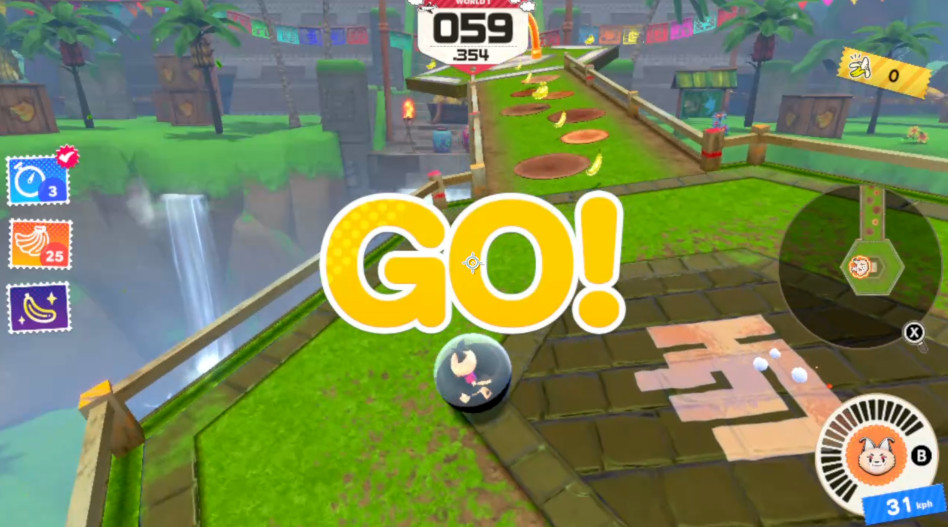
- Fixes the 6th frame stutter (that affects the timer as well), now the only paused frames you'll experience is lag spikes! enjoy!
- only works on version 1.10 as 1.11 fixes this issue!
How to Install Super Monkey Ball Banana Rumble FPS Boost Config on PC
- Download the Super Monkey Ball Banana Rumble FPS & Stutter-Fix configuration .ZIP below and extract the preset files.
- Navigate to your Super Monkey Ball Banana Rumble configuration folder (%LOCALAPPDATA%\[Game]\Saved\Config\Windows or installation folder).
- Back up your default .ini file, drop in the optimized config, and launch the game for smoother frame pacing.
Super Monkey Ball Banana Rumble FPS Boost Config FAQ
Is this Super Monkey Ball Banana Rumble fps boost config safe to use on Steam?
Yes. All files are scanned clean (AV Scanned: Clean) and designed for offline/single-player PC use. Always back up your original save or config folder first.
Where is the Super Monkey Ball Banana Rumble save & config folder located on Windows?
Most modern PC releases store user saves and Engine.ini files inside %LOCALAPPDATA%, %APPDATA%, or %USERPROFILE%\Saved Games.
Buy the console and the game
| Item | Amazon | eBay |
|---|---|---|
| GTA 6 (PS5) | Amazon | eBay |
| GTA 6 (Xbox Series X) | Amazon | eBay |
| PlayStation 5 console | Amazon | eBay |
| Xbox Series X console | Amazon | eBay |
Links are affiliate links. We earn a small commission if you buy, at no extra cost to you.



