✓ AV Scanned Clean
Build: v1.0
Size: 3 KB
Updated: 2018.11.05
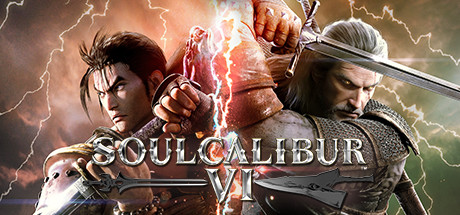
Soulcalibur VI – Adjustable Speed
⬇ Jump to Download Mirrors
Soulcalibur VI – Adjustable Speed (v1.0) for Windows PC: Bring more than your fists to the fight! Featuring all-new battle mechanics and characters, SOULCALIBUR VI marks a new era of the historic franchise. Welcome back to the stage of history!
Game: Soulcalibur VI
Release Type: FPS Boost Config
Version: v1.0
Genres: Action
Developer: BANDAI NAMCO Studios Inc.
Archive Size: 2 KB
Platform: Windows 10 / 11 (64-bit)
Security Scan: ✓ AV Scanned: Clean
Soulcalibur VI FPS Boost Config – Key Features & Notes
- This edits DefaultEngine.ini to give it a framerate of 40 FPS, down from 60 FPS. It simulates slow motion, to make fights against insanely hard LOS ai much more easier.
- You can adjust the speed to a higher value by editing the .pak file with a hex editor if you don't feel like unpacking it:
Soulcalibur VI PC System Requirements
Minimum Specs
- Requires a 64-bit processor and operating system
- OS *: Windows 7, 8.1, 10 (64-bit)
- Processor: Intel Core i3-4160 @ 3.60GHz or equivalent
- Memory: 6 GB RAM
- Graphics: NVIDIA GeForce GTX 1050
- DirectX: Version 11
- Storage: 20 GB available space
- Sound Card: DirectX compatible soundcard or onboard chipset
Recommended Specs
- Requires a 64-bit processor and operating system
- OS *: Windows 7, 8.1, 10 (64-bit)
- Processor: Intel Core i5-4690 3.5 GHz or equivalent
- Memory: 8 GB RAM
- Graphics: GeForce GTX 1060 or equivalent
- DirectX: Version 11
- Storage: 20 GB available space
- Sound Card: DirectX compatible soundcard or onboard chipset
How to Install Soulcalibur VI FPS Boost Config on PC
- Download the Soulcalibur VI FPS & Stutter-Fix configuration .ZIP below and extract the preset files.
- Navigate to your Soulcalibur VI configuration folder (%LOCALAPPDATA%\[Game]\Saved\Config\Windows or installation folder).
- Back up your default .ini file, drop in the optimized config, and launch the game for smoother frame pacing.
Soulcalibur VI FPS Boost Config FAQ
Is this Soulcalibur VI fps boost config safe to use on Steam?
Yes. All files are scanned clean (AV Scanned: Clean) and designed for offline/single-player PC use. Always back up your original save or config folder first.
Where is the Soulcalibur VI save & config folder located on Windows?
Most modern PC releases store user saves and Engine.ini files inside %LOCALAPPDATA%, %APPDATA%, or %USERPROFILE%\Saved Games.
Buy the console and the game
| Item | Amazon | eBay |
|---|---|---|
| GTA 6 (PS5) | Amazon | eBay |
| GTA 6 (Xbox Series X) | Amazon | eBay |
| PlayStation 5 console | Amazon | eBay |
| Xbox Series X console | Amazon | eBay |
Links are affiliate links. We earn a small commission if you buy, at no extra cost to you.