
✓ AV Scanned Clean
Build: v1.0
Size: 629 B
Updated: 2024.07.28
Persona 5 Royal (PC) – Makoto with Glasses
⬇ Jump to Download Mirrors
Persona 5 Royal (PC) – Makoto with Glasses (v1.0) for Windows PC: Lead the Phantom Thieves of Hearts in this award winning, stylish turn-based RPG filled with dungeon crawling, party customization, strategic combat, and Persona fusion. Explore Tokyo, build relationships, battle Shadows, and infiltrate the minds of the corrupt to make them change their ways!
Game: Persona 5 Royal (PC)
Release Type: PC Mod
Version: v1.0
Genres: RPG
Developer: ATLUS
Archive Size: 33.2 MB
Platform: Windows 10 / 11 (64-bit)
Security Scan: ✓ AV Scanned: Clean

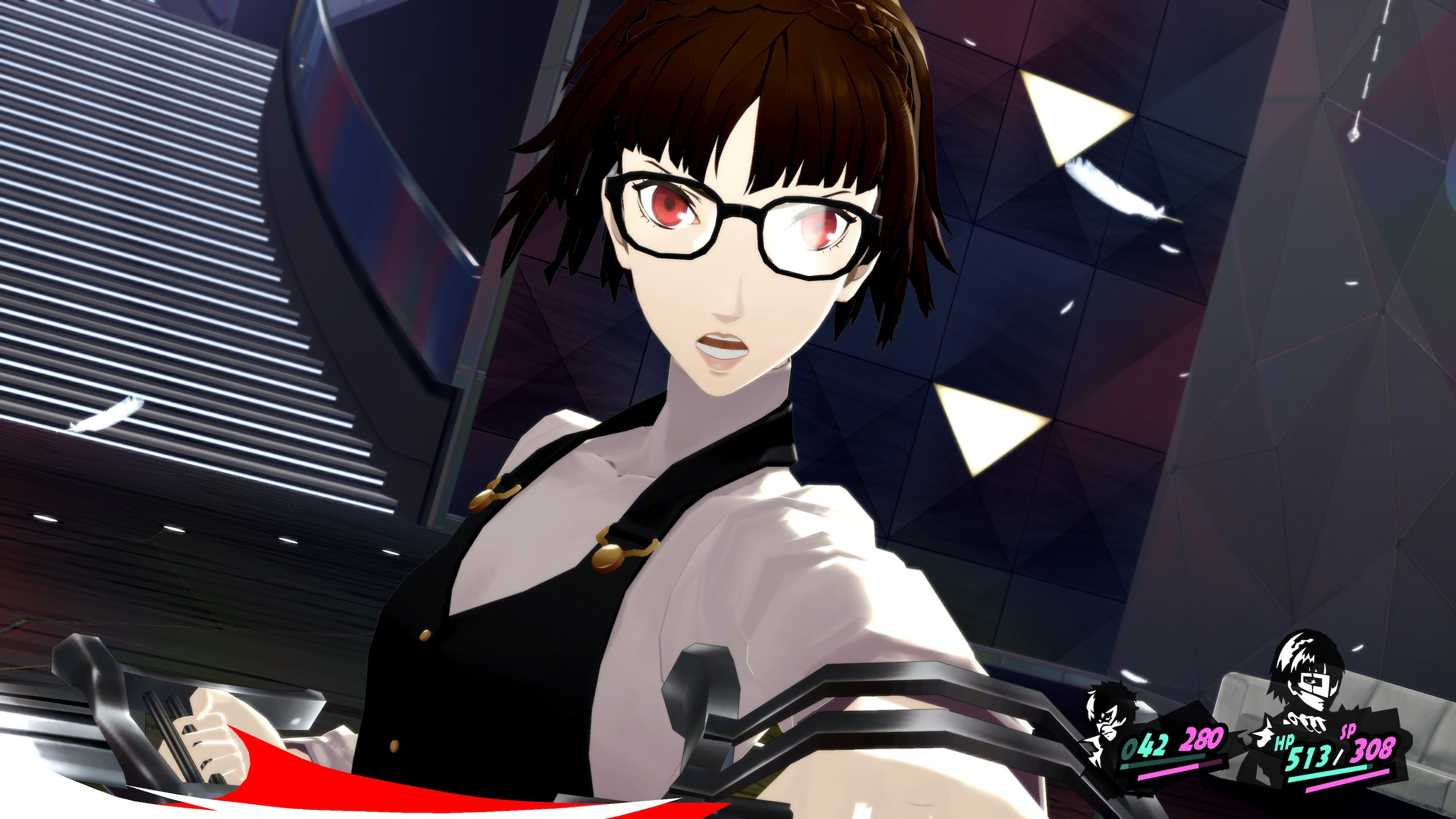
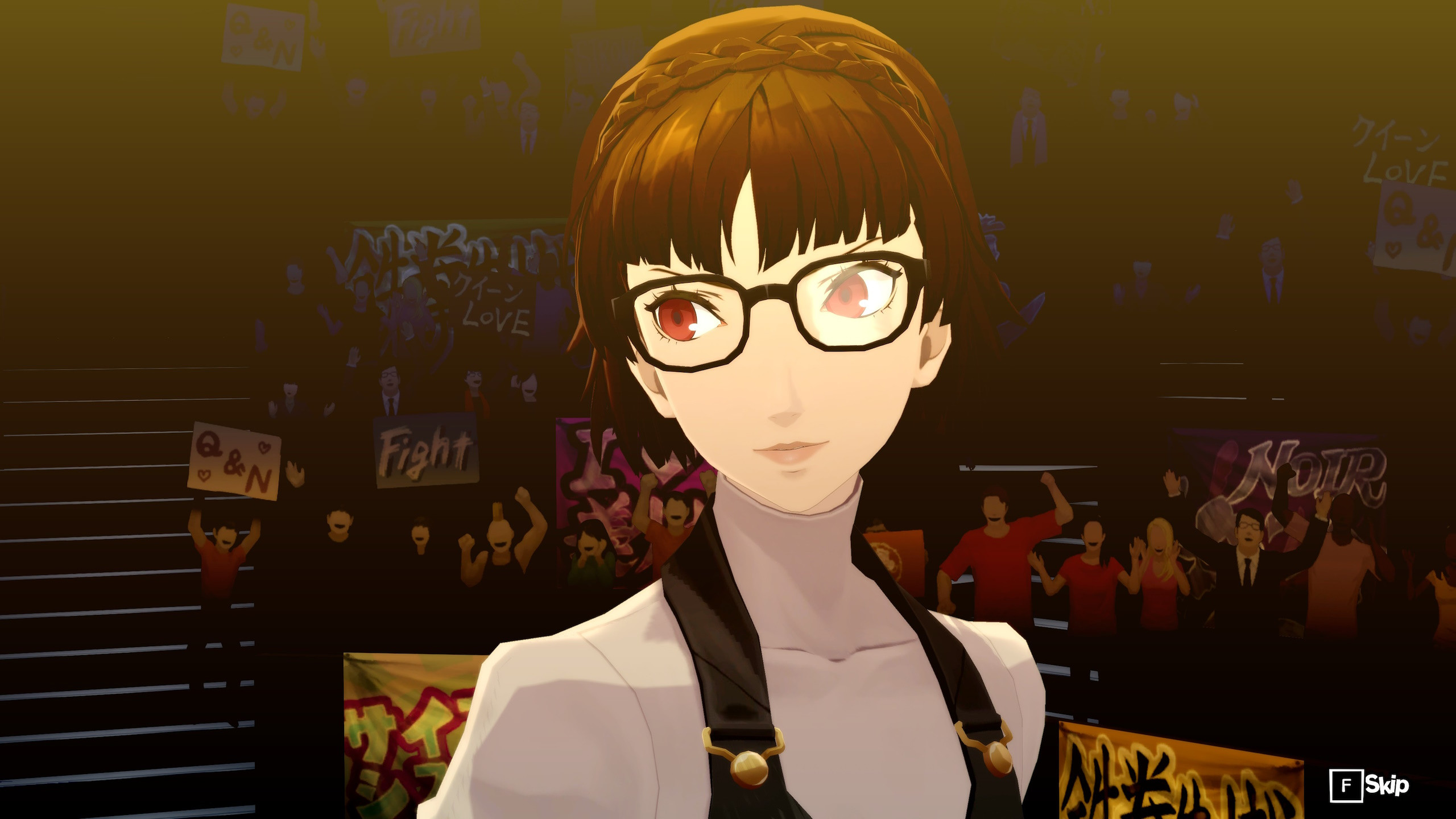
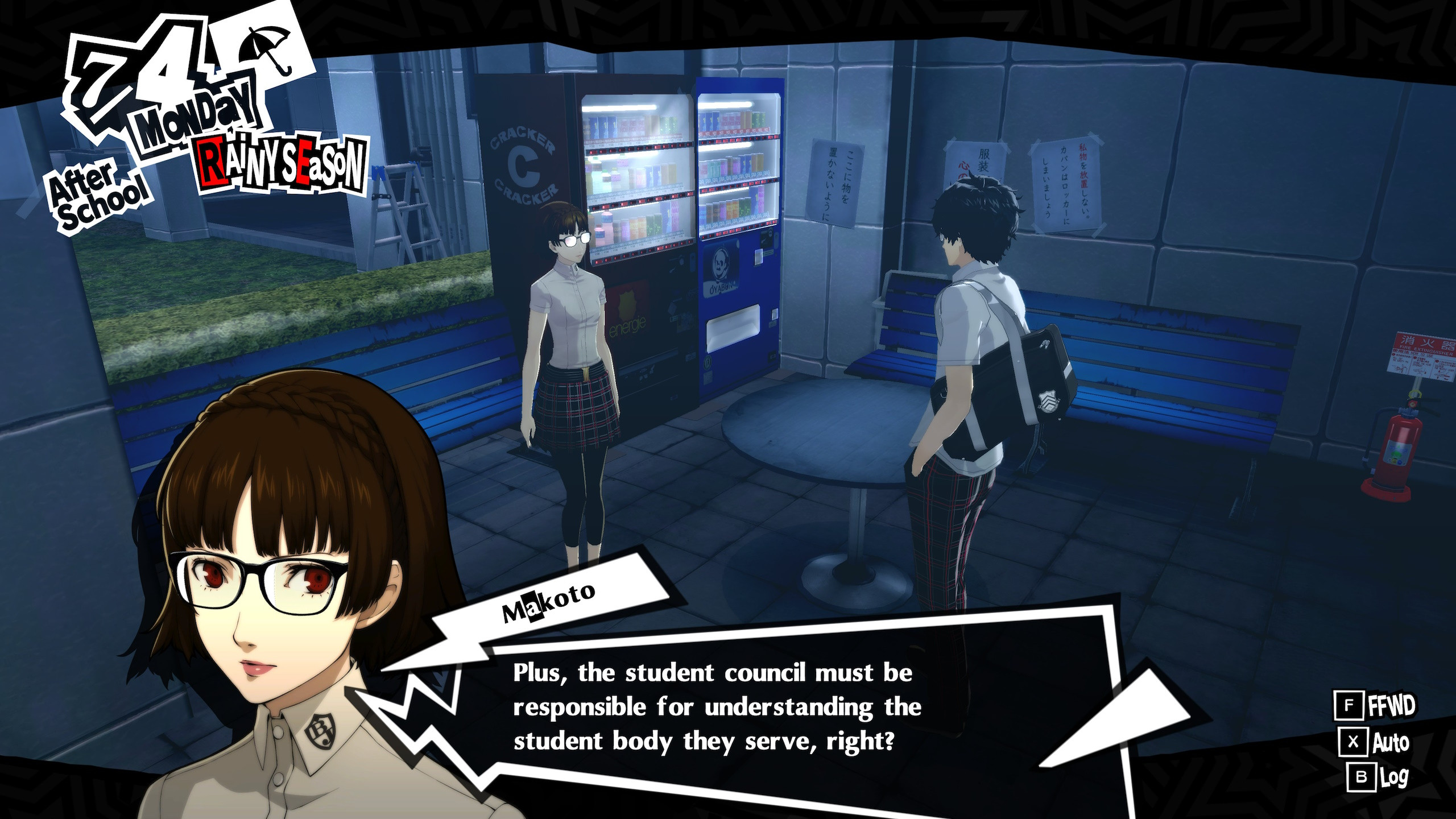
Persona 5 Royal (PC) PC Mod – Key Features & Notes
- Made for this request
- Replaces all models bustups and chat icon besides the Phantom Thief outfit or anything that already had glasses or a mask.
Persona 5 Royal (PC) PC System Requirements
Minimum Specs
- Requires a 64-bit processor and operating system
- OS: Windows 10
- Processor: Intel Core i7-4790, 3.4 GHz | AMD Ryzen 5 1500X, 3.5 GHz
- Memory: 8 GB RAM
- Graphics: Nvidia GeForce GTX 650 Ti, 2 GB | AMD Radeon R7 360, 2 GB
- DirectX: Version 11
- Storage: 41 GB available space
- Additional Notes: Low 720p @ 60 FPS. Requires a CPU which supports the AVX and SSE4.2 instruction set. Microsoft no longer supports Windows 10 or older versions.
Recommended Specs
- Requires a 64-bit processor and operating system
- OS: Windows 10
- Processor: Intel Core i7-4790, 3.4 GHz | AMD Ryzen 5 1500X 3.5 Ghz
- Memory: 8 GB RAM
- Graphics: Nvidia GeForce GTX 760, 2 GB | AMD Radeon HD 7870, 2 GB
- DirectX: Version 11
- Storage: 41 GB available space
- Additional Notes: High 1080p @ 60 FPS. Microsoft no longer supports Windows 10 or older versions.
How to Install Persona 5 Royal (PC) PC Mod on PC
- Download the Makoto with Glasses archive (.ZIP) from Mirror 1 or Mirror 2 below.
- Extract the contents into your Persona 5 Royal (PC) PC root/mods folder (Steam -> Browse Local Files).
- Launch the game in offline/single-player mode to enjoy the new mod features.
Persona 5 Royal (PC) PC Mod FAQ
Is this Persona 5 Royal (PC) pc mod safe to use on Steam?
Yes. All files are scanned clean (AV Scanned: Clean) and designed for offline/single-player PC use. Always back up your original save or config folder first.
Where is the Persona 5 Royal (PC) save & config folder located on Windows?
Most modern PC releases store user saves and Engine.ini files inside %LOCALAPPDATA%, %APPDATA%, or %USERPROFILE%\Saved Games.



