✓ AV Scanned Clean
Build: 0.2
Size: 97.9 MB
Updated: 2024.10.31
Shadow Generations – Amy Generations: Dark Beginnings
⬇ Jump to Download Mirrors
Shadow Generations – Amy Generations: Dark Beginnings (0.2) for Windows PC: Shadow the Hedgehog is back with Classic and Modern Sonic in SONIC X SHADOW GENERATIONS, an all-new collection featuring two unique experiences!
Game: Shadow Generations
Release Type: FPS Boost Config
Version: 0.2
Genres: Action
Developer: Sonic Team
Archive Size: 97.9 MB
Platform: Windows 10 / 11 (64-bit)
Security Scan: ✓ AV Scanned: Clean


Shadow Generations FPS Boost Config – Key Features & Notes
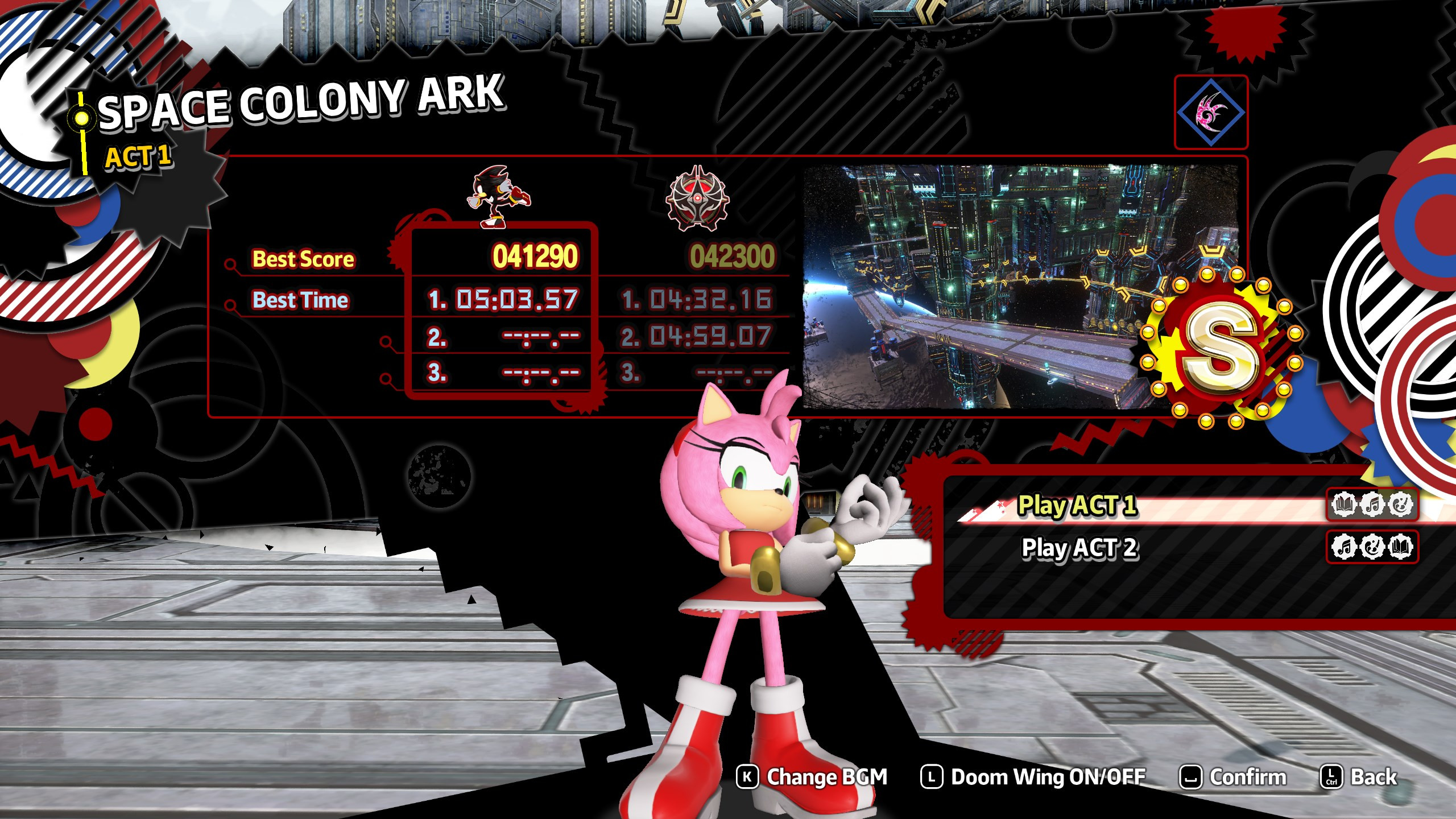
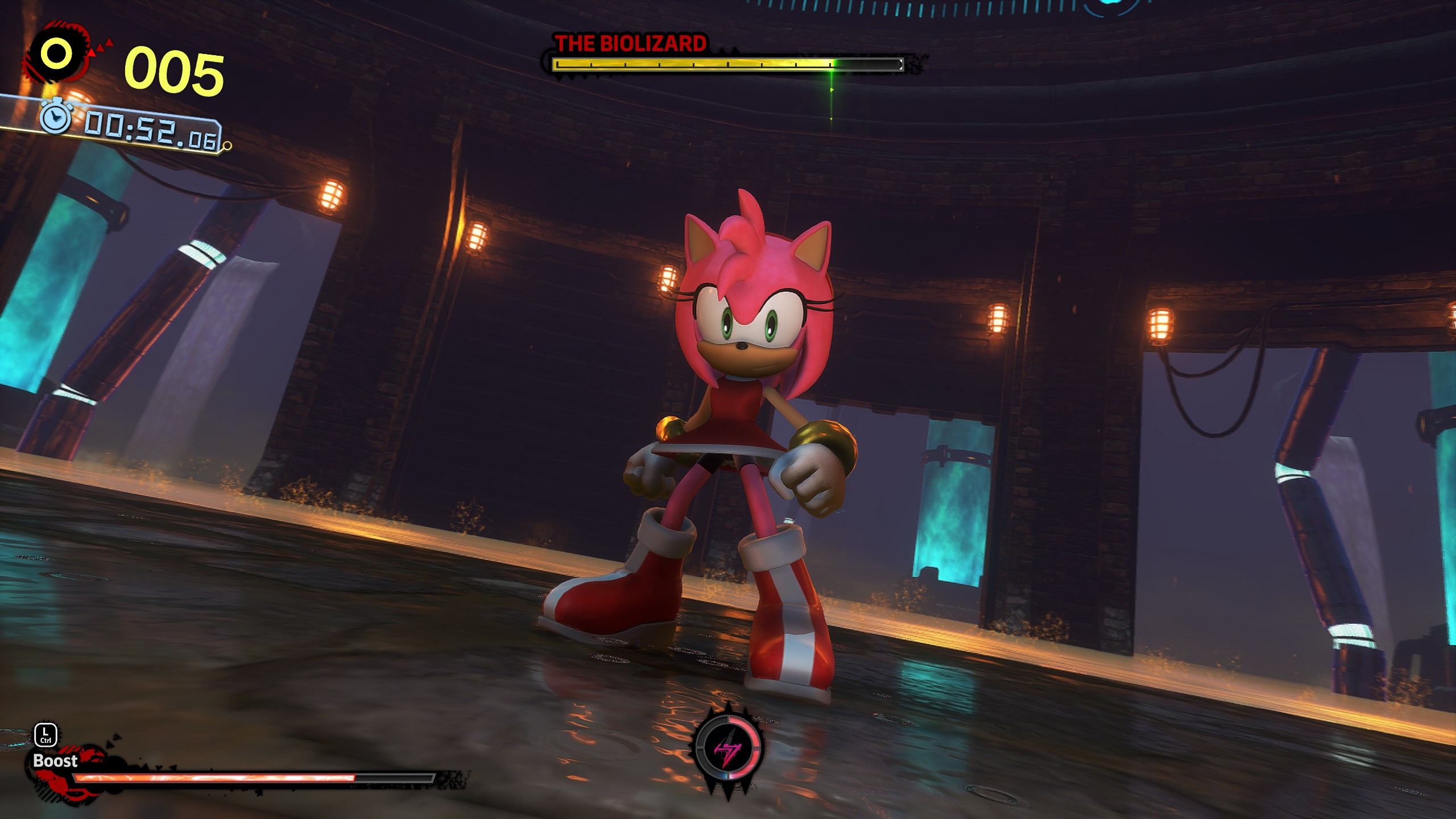
- Replaces Shadow the Hedgehog in Shadow Generations with Amy Rose from Sonic Frontiers.
- Also changes the colour of the jump ball, boost and stomp to match Amy.
Shadow Generations PC System Requirements
Minimum Specs
- Requires a 64-bit processor and operating system
- OS: Windows 10
- Processor: Intel Core i3-2120 or FX-6300
- Memory: 8 GB RAM
- Graphics: NVIDIA GeForce GTX 550 Ti, 1GB or AMD Radeon HD 5770, 1GB
- Storage: 35.3 GB available space
- Additional Notes: Low 720p @ 30 FPS. CPU: A processor supporting AVX extensions set is required to launch the application. GPU: A D3D10 compatible graphics adapter is required to launch the application. Microsoft no longer supports Windows 10 or older versions.
Recommended Specs
- Requires a 64-bit processor and operating system
- OS: Windows 10
- Processor: Intel Core i7-2600 or AMD Ryzen 5 1400
- Memory: 12 GB RAM
- Graphics: NVIDIA GeForce GTX 780, 3GB or AMD Radeon RX 470, 4GB or Intel Arc A310, 4GB
- Storage: 35.3 GB available space
- Additional Notes: High 1080p @ 60 FPS. CPU: A processor supporting AVX extensions set is required to launch the application. GPU: A D3D10 compatible graphics adapter is required to launch the application. Microsoft no longer supports Windows 10 or older versions.
How to Install Shadow Generations FPS Boost Config on PC
- Download the Shadow Generations FPS & Stutter-Fix configuration .ZIP below and extract the preset files.
- Navigate to your Shadow Generations configuration folder (%LOCALAPPDATA%\[Game]\Saved\Config\Windows or installation folder).
- Back up your default .ini file, drop in the optimized config, and launch the game for smoother frame pacing.
Shadow Generations FPS Boost Config FAQ
Is this Shadow Generations fps boost config safe to use on Steam?
Yes. All files are scanned clean (AV Scanned: Clean) and designed for offline/single-player PC use. Always back up your original save or config folder first.
Where is the Shadow Generations save & config folder located on Windows?
Most modern PC releases store user saves and Engine.ini files inside %LOCALAPPDATA%, %APPDATA%, or %USERPROFILE%\Saved Games.
Buy the console and the game
| Item | Amazon | eBay |
|---|---|---|
| GTA 6 (PS5) | Amazon | eBay |
| GTA 6 (Xbox Series X) | Amazon | eBay |
| PlayStation 5 console | Amazon | eBay |
| Xbox Series X console | Amazon | eBay |
Links are affiliate links. We earn a small commission if you buy, at no extra cost to you.