
✓ AV Scanned Clean
Build: 2
Size: 13 KB
Updated: 2024.10.26
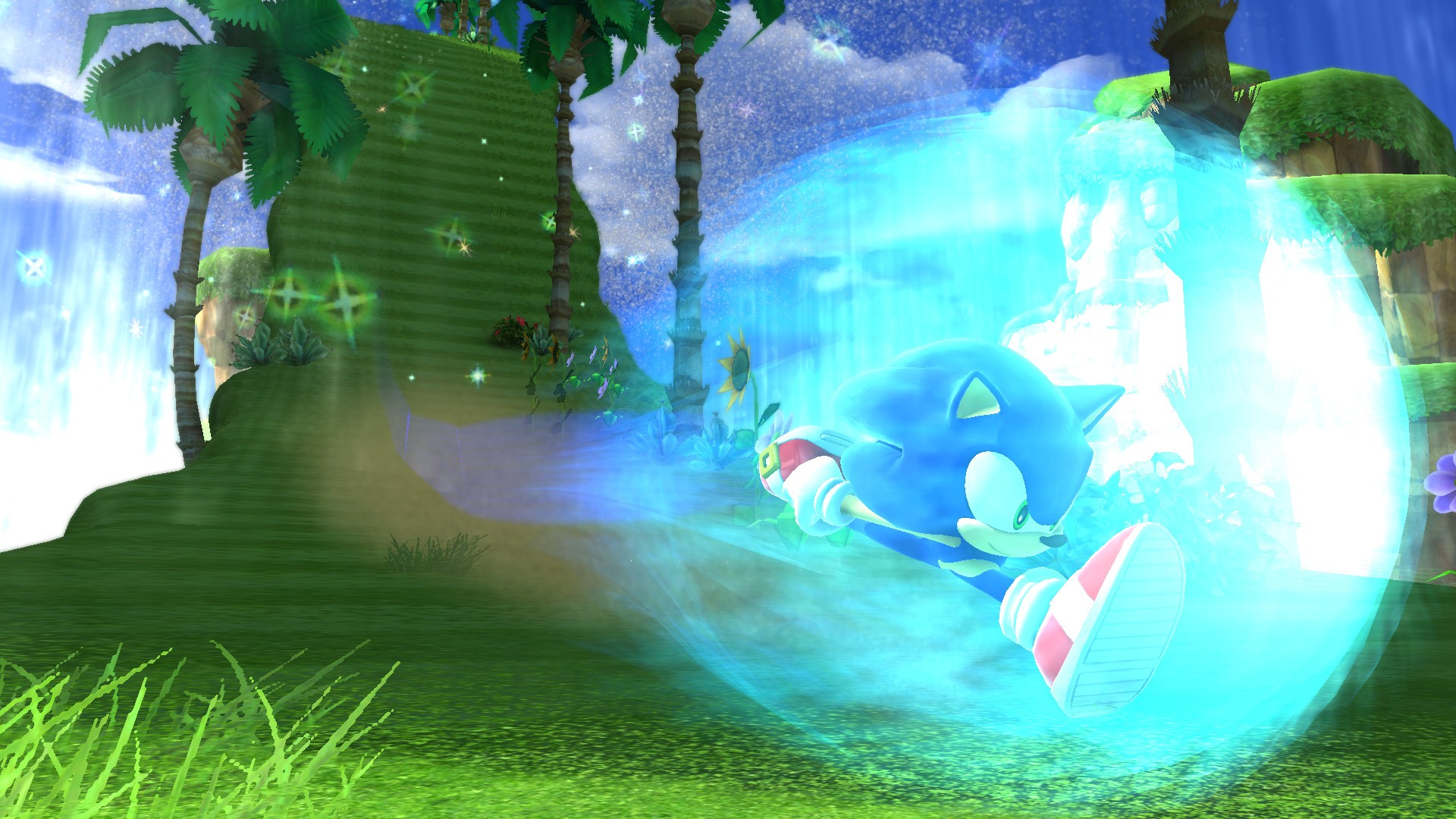
Sonic Generations (2011) – Shadow Style Boost Trail
⬇ Jump to Download Mirrors
Sonic Generations (2011) – Shadow Style Boost Trail (2) for Windows PC: Celebrate 20 years of Sonic in an all new adventure that delivers a definitive experience to Sonic fans new and old!
Game: Sonic Generations (2011)
Release Type: FPS Boost Config
Version: 2
Genres: Action
Developer: Devil's Details
Archive Size: 13 KB
Platform: Windows 10 / 11 (64-bit)
Security Scan: ✓ AV Scanned: Clean



Sonic Generations (2011) FPS Boost Config – Key Features & Notes
- (2024 version is here!)
- Super Sonic Update!
- Now Super Sonic has Boost Trail!
- If you want to change only one of them, delete "#SonicActionCommon.ar.00/.arl" for Sonic or "#Sonic.ar.00/.arl" for Super Sonic.
- The standalone version of the one I made for Real Shadow Mod . Ported from Shadow Rival.
- If you want to change the color, open the file "ef_ch_sng_yh1_boost2.gte" in Glitter Studio. Download
- Select "locus\glitter1" and press the blue part of the "Inspector" tab.
- A color picker will appear, choose the color you want, and click "File\Save" to overwrite the file.
Sonic Generations (2011) PC System Requirements
Minimum Specs
- OS *: Microsoft Windows 7/Vista/XP
- Processor: Intel Pentium Dual-Core T4200 (2×2.0GHz) or AMD equivalent
- Memory: 2GB RAM (XP)/3GB RAM (Windows 7 / Vista)
- Graphics: NVIDIA GeForce 8800 (512MB) / ATI Radeon HD 2900 (512MB)
- DirectX®:
- Hard Drive: 11 GB free hard drive space
- Sound:
- Additional Notes: Microsoft no longer supports Windows 10 or older versions.
Recommended Specs
- OS *: Microsoft Windows 7
- Processor: Intel Core i5 @ 2.66 GHz / AMD Phenom II X4 @ 3.0 GHz
- Memory: 3GB RAM
- Graphics: NVIDIA GeForce GTX 460 (1GB) / ATI Radeon HD 5850 (1GB)
- DirectX®:
- Hard Drive: 11 GB free hard drive space
- Sound:
- Additional Notes: Microsoft no longer supports Windows 10 or older versions.
How to Install Sonic Generations (2011) FPS Boost Config on PC
- Download the Sonic Generations (2011) FPS & Stutter-Fix configuration .ZIP below and extract the preset files.
- Navigate to your Sonic Generations (2011) configuration folder (%LOCALAPPDATA%\[Game]\Saved\Config\Windows or installation folder).
- Back up your default .ini file, drop in the optimized config, and launch the game for smoother frame pacing.
Sonic Generations (2011) FPS Boost Config FAQ
Is this Sonic Generations (2011) fps boost config safe to use on Steam?
Yes. All files are scanned clean (AV Scanned: Clean) and designed for offline/single-player PC use. Always back up your original save or config folder first.
Where is the Sonic Generations (2011) save & config folder located on Windows?
Most modern PC releases store user saves and Engine.ini files inside %LOCALAPPDATA%, %APPDATA%, or %USERPROFILE%\Saved Games.
Buy the console and the game
| Item | Amazon | eBay |
|---|---|---|
| GTA 6 (PS5) | Amazon | eBay |
| GTA 6 (Xbox Series X) | Amazon | eBay |
| PlayStation 5 console | Amazon | eBay |
| Xbox Series X console | Amazon | eBay |
Links are affiliate links. We earn a small commission if you buy, at no extra cost to you.