
✓ AV Scanned Clean
Build: 1.0.0
Size: 7 KB
Updated: 2026.11.13
DOOM Eternal – Potato Slayer – Low-End Performance Tweaks
⬇ Jump to Download Mirrors
DOOM Eternal – Potato Slayer – Low-End Performance Tweaks (1.0.0) for Windows PC: Hell’s armies have invaded Earth. Become the Slayer in an epic single-player campaign to conquer demons across dimensions and stop the final destruction of humanity. The only thing they fear… is you.
Game: DOOM Eternal
Release Type: FPS Boost Config
Version: 1.0.0
Genres: Action
Developer: id Software
Archive Size: 6 KB
Platform: Windows 10 / 11 (64-bit)
Security Scan: ✓ AV Scanned: Clean
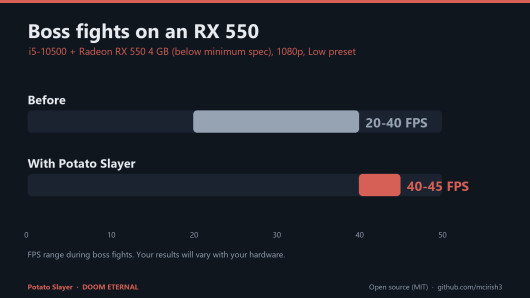
DOOM Eternal FPS Boost Config – Key Features & Notes
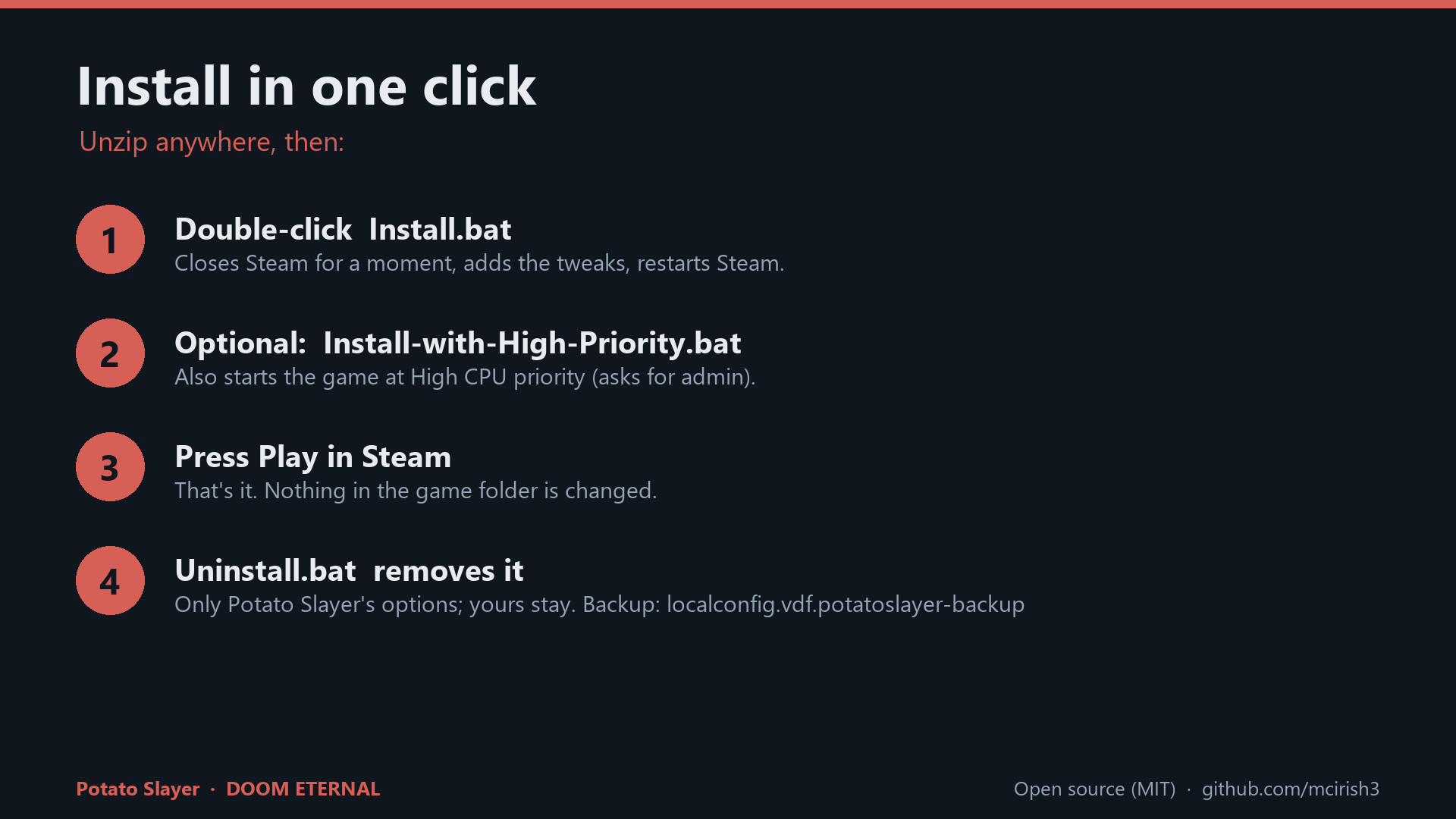
- Install Unzip it anywhere.
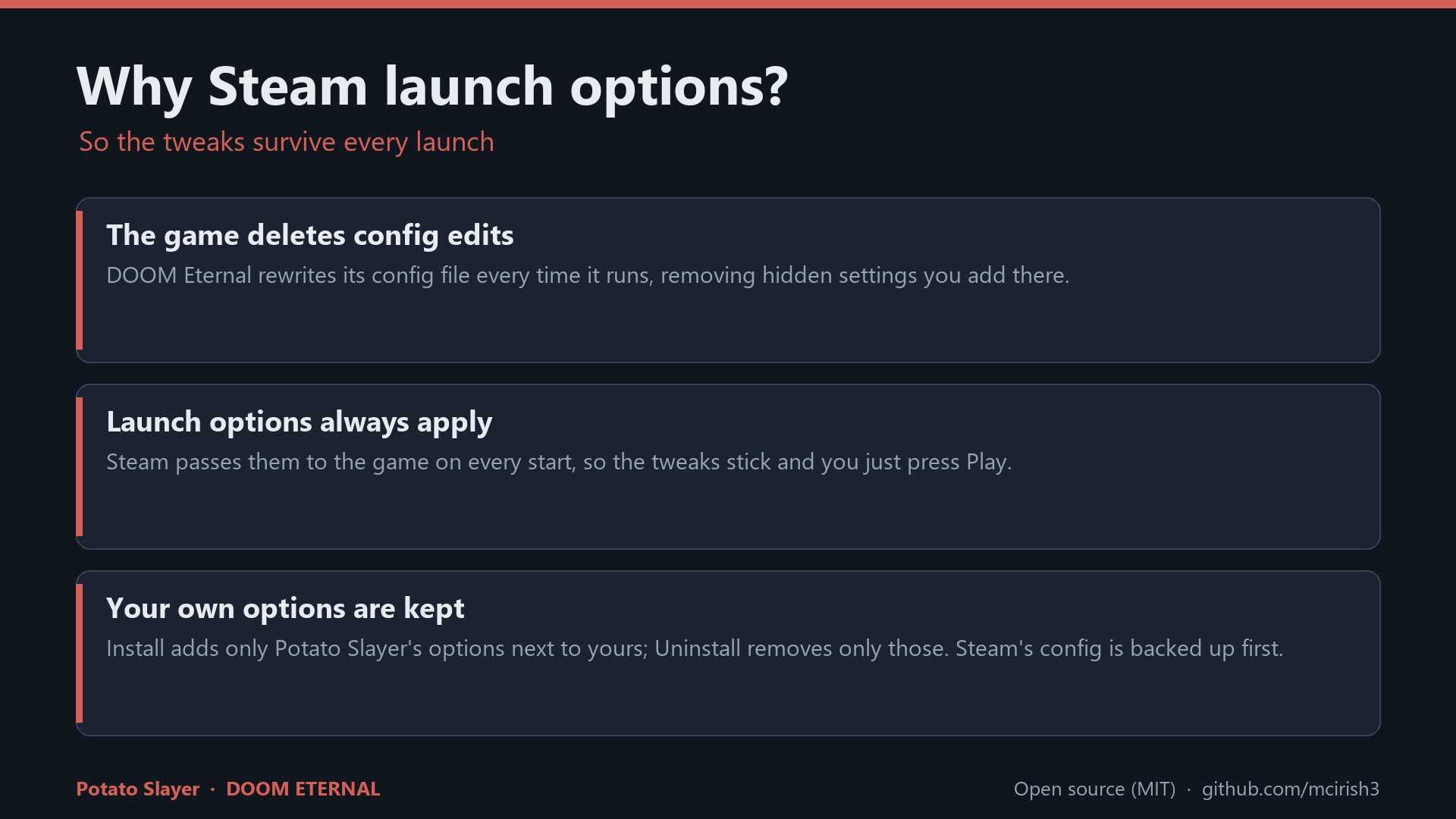
- Double-click Install.bat . It closes Steam for a moment, adds the tweaks to DOOM Eternal's launch options, then restarts Steam. Your own launch options are kept.
- Press Play in Steam.
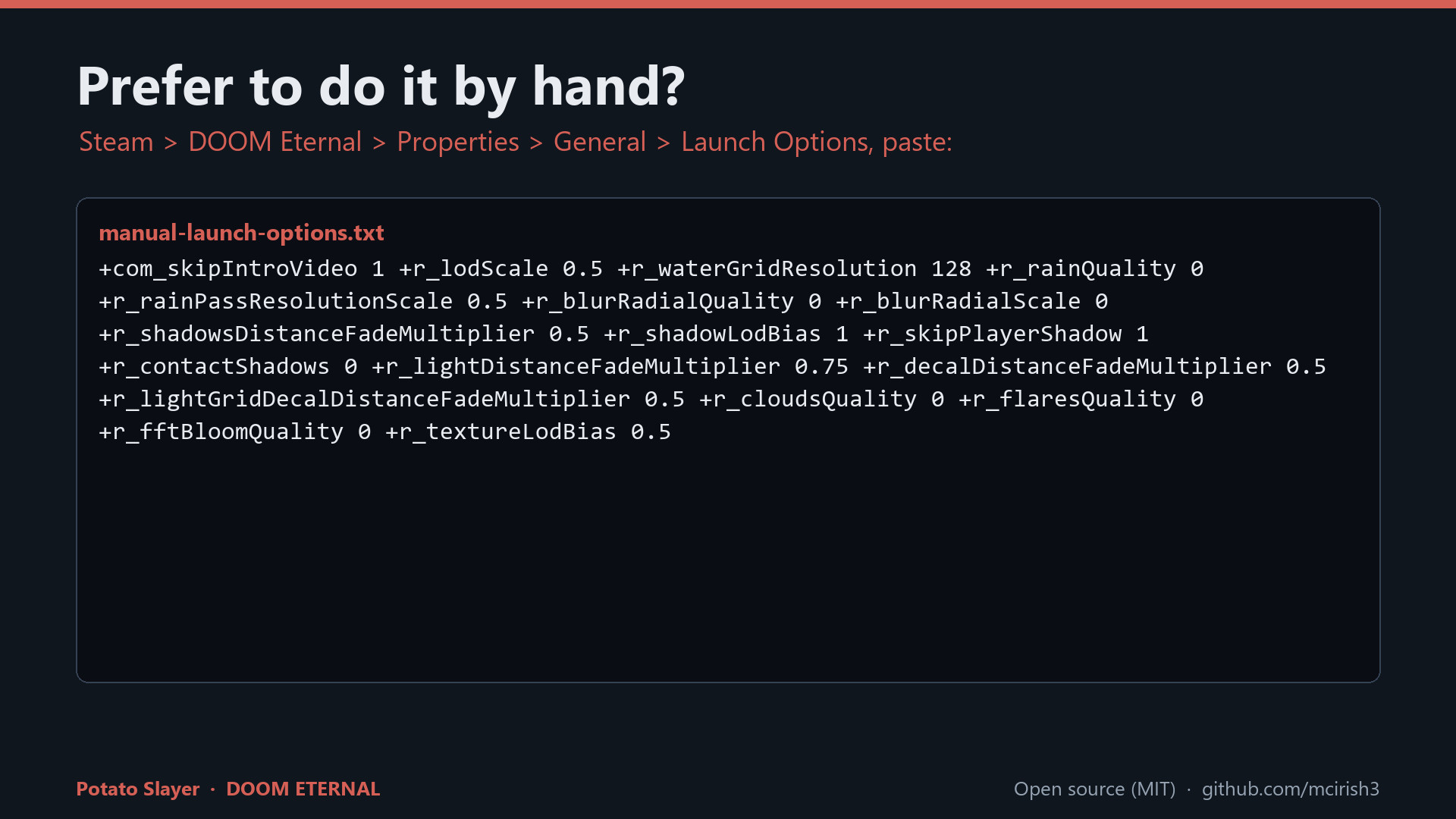
- Manual install: paste the line from manual-launch-options.txt into Steam, DOOM Eternal, Properties, Launch Options.
- What it changes r_lodScale 0.5: switches to simpler models sooner (some pop-in)
- Shadows, lights and decals fade out closer; no player or contact shadows
- Cheapest clouds, lens flares and bloom; cheaper water and rain; no radial blur
- r_textureLodBias 0.5: slightly softer textures, so the card moves less data
DOOM Eternal PC System Requirements
Minimum Specs
- Requires a 64-bit processor and operating system
- OS *: 64-bit Windows 7 / 64-Bit Windows 10
- Processor: Intel Core i5 @ 3.3 GHz or better, or AMD Ryzen 3 @ 3.1 GHz or better
- Memory: 8 GB RAM
- Graphics: NVIDIA GeForce GTX 1050Ti (4GB), GTX 1060 (3GB), GTX 1650 (4GB) or AMD Radeon R9 280(3GB), AMD Radeon R9 290 (4GB), RX 470 (4GB)
- Network: Broadband Internet connection
- Storage: 80 GB available space
- Additional Notes: ( 1080p / 60 FPS / Low Quality Settings )
Recommended Specs
- Requires a 64-bit processor and operating system
- OS: 64-bit Windows 10
- Processor: Intel Core i7-6700K or better, or AMD Ryzen 7 1800X or better
- Memory: 8 GB RAM
- Graphics: NVIDIA GeForce GTX 1060 (6GB), NVIDIA GeForce 970 (4GB), AMD RX 480 (8GB)
- Network: Broadband Internet connection
- Storage: 80 GB available space
- Additional Notes: ( 1080p / 60 FPS / High Quality Settings ) – *On NVIDIA GTX 970 cards Texture Quality should be set to Medium
How to Install DOOM Eternal FPS Boost Config on PC
- Download the DOOM Eternal FPS & Stutter-Fix configuration .ZIP below and extract the preset files.
- Navigate to your DOOM Eternal configuration folder (%LOCALAPPDATA%\[Game]\Saved\Config\Windows or installation folder).
- Back up your default .ini file, drop in the optimized config, and launch the game for smoother frame pacing.
DOOM Eternal FPS Boost Config FAQ
Is this DOOM Eternal fps boost config safe to use on Steam?
Yes. All files are scanned clean (AV Scanned: Clean) and designed for offline/single-player PC use. Always back up your original save or config folder first.
Where is the DOOM Eternal save & config folder located on Windows?
Most modern PC releases store user saves and Engine.ini files inside %LOCALAPPDATA%, %APPDATA%, or %USERPROFILE%\Saved Games.
Buy the console and the game
| Item | Amazon | eBay |
|---|---|---|
| GTA 6 (PS5) | Amazon | eBay |
| GTA 6 (Xbox Series X) | Amazon | eBay |
| PlayStation 5 console | Amazon | eBay |
| Xbox Series X console | Amazon | eBay |
Links are affiliate links. We earn a small commission if you buy, at no extra cost to you.



